(Microsoft Roadmap ID 183785)
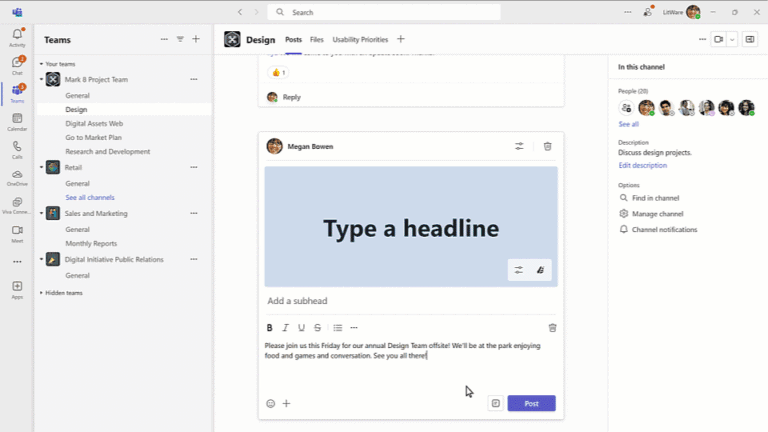
Microsoft is launching a new way to customise announcement posts in Teams channels with custom backgrounds. Users will be able to create an engaging background easily with a few clicks when creating posts. Additionally, Teams Premium subscribers will have additional access to DALL-E, an artificial intelligence (AI) text to image generator, to generate images for their backgrounds.
To create new images, you can type a description or use the power of AI to generate a personalised background. Creating an image using generative AI is available in Teams Premium and with Copilot for Microsoft 365.
(Microsoft Roadmap ID 123491)
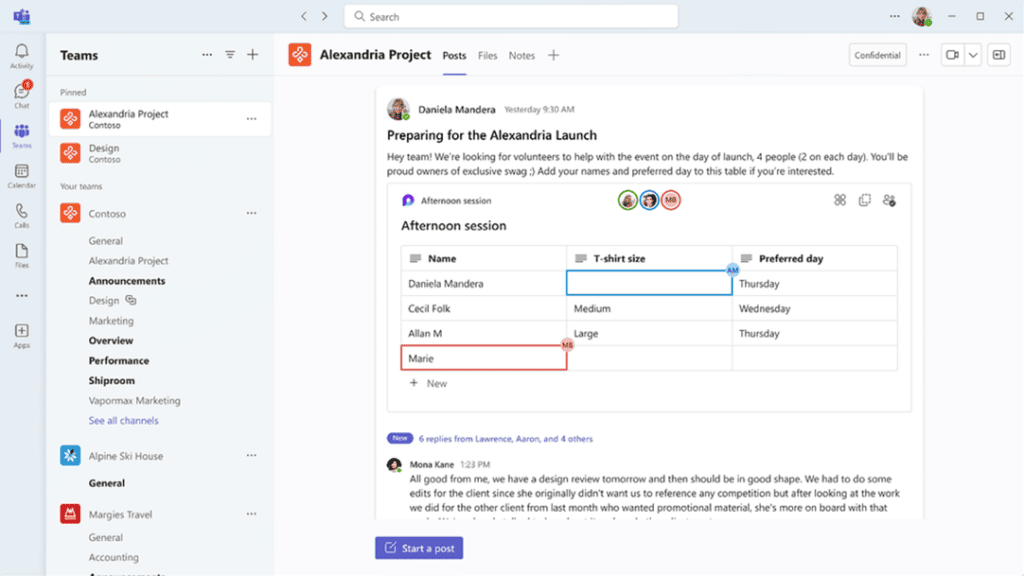
Loop components are live, interactive, collaborative objects that you can embed across Microsoft 365. Users will now be able to use Loop components to co-create and collaborate in Microsoft Teams channels.
You can share a Loop component like a table, a list or a paragraph so anyone in the channel can view and edit it. Loop components are available in classic and new Teams, and are already rolling out now.
(Microsoft Roadmap ID 122550)
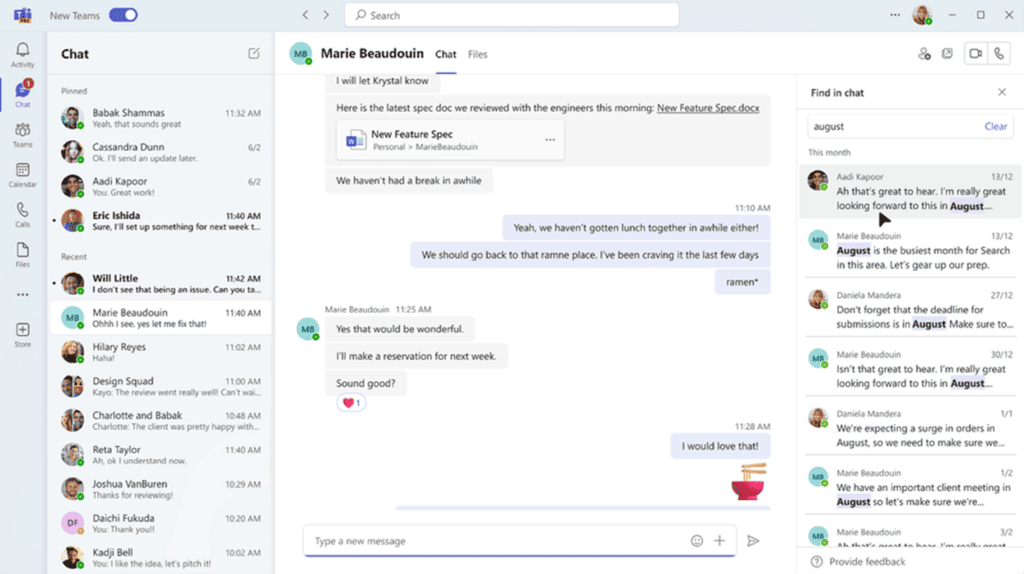
Microsoft is rolling out a new search experience in Microsoft Teams, which will allow users to search in a specific chat or channel and reach relevant results faster.
With the new and improved Teams search experience, results will appear in the right handrail, so users can stay in the flow of work. Further enhancements like highlighted key words will make it easier for users to scan through results to find the right one.
(Microsoft Roadmap ID 181285)
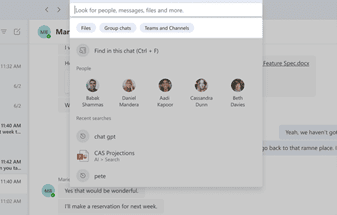
The search improvements don’t stop there – Microsoft is also releasing updates for domain-specific search filters. ‘Files’, ‘group chats’ or ‘teams and channels’ filters will help users narrow down search results and quickly discover information by source.
Users can also enter a stakeholder’s name and, with the ‘files’ filter, easily find shared files and mutual group chats.
(Microsoft Roadmap ID 145798)
This month, Microsoft is rolling out an update to the Files app in Microsoft Teams, accessed from the left side of the Teams desktop client.
The app will now have a OneDrive app experience, bringing performance improvements, more views and the latest features of OneDrive to both classic and new Teams. This update also comes with a name change: the Files app will now be called the OneDrive app.
(Microsoft Roadmap ID 124813)
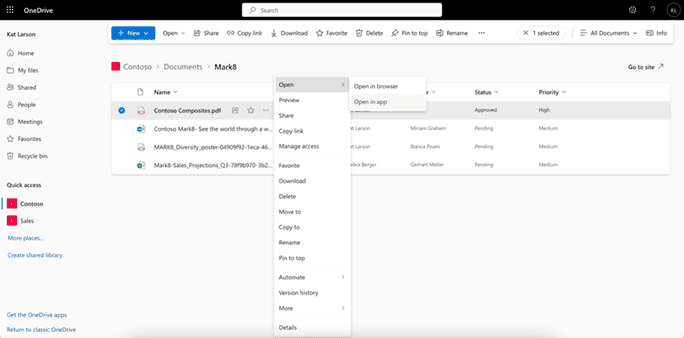
Another OneDrive update to look out for this month, users will be able to open non-Office 365 files in desktop aps to view and make changes to them. Any changes made will sync back to OneDrive or SharePoint.
This new feature is powered by OneDrive Sync – it requires OneDrive.exe to be installed on the user’s device. In case it’s not running, ‘Open in app’ will start the OneDrive executable.
(Microsoft Roadmap ID 180796)
Microsoft is adding the ability to add a survey, poll or quiz at specific times in Microsoft Stream videos this month. You can make your video interactive and more engaging by adding forms at any point, with the ability to view responses and share a summary link with answers and scores in Microsoft Forms.
Interactivity can be added, edited, and previewed in Stream Web App in Edit mode by users with editing permissions. You then go to Microsoft Forms to view responses and share a summary link with answers and scores in Microsoft Forms. Viewers can use video timeline markers to navigate in and out of interactive content.
Insights by Type
Latest Insights